
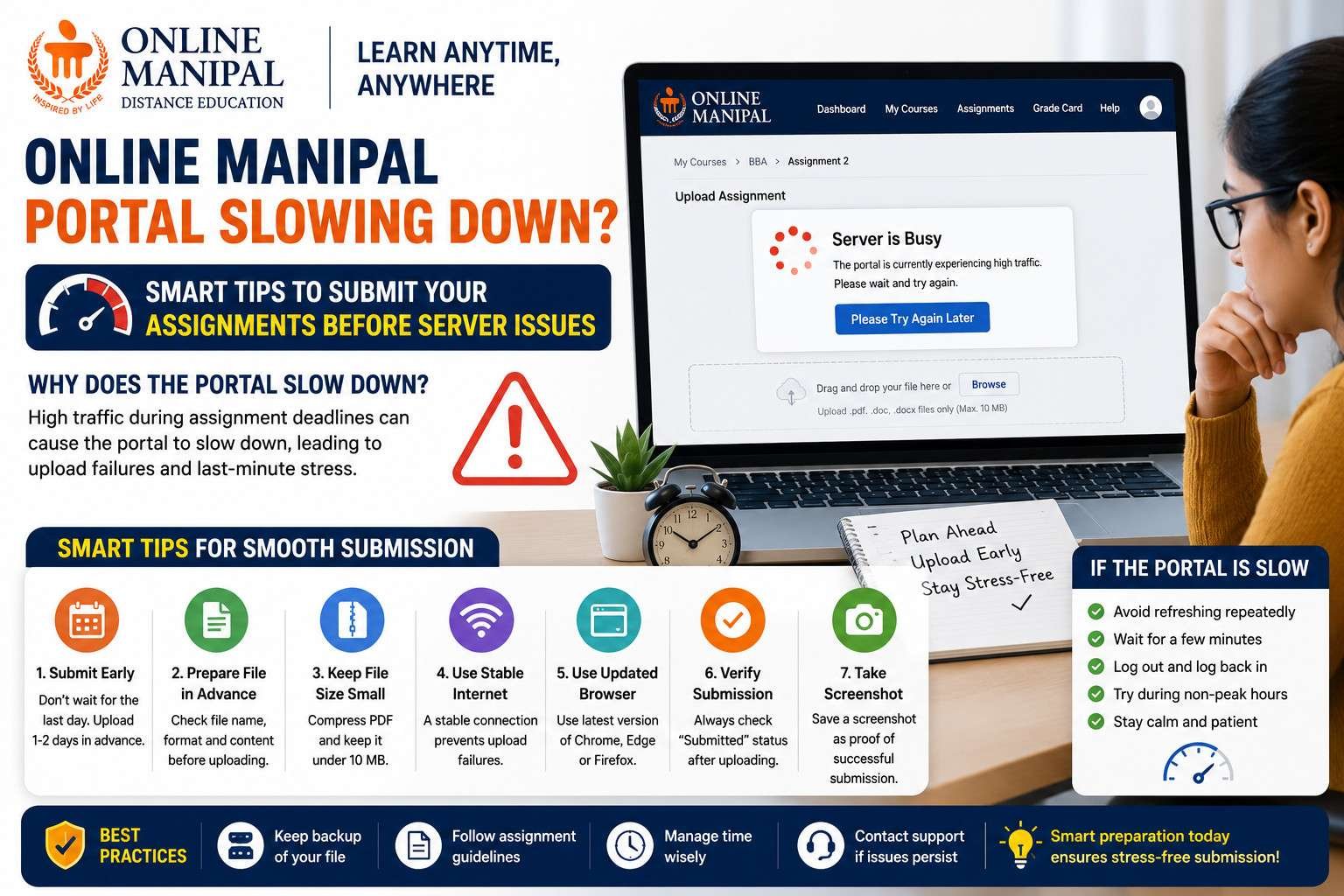
Many students notice that the Online Manipal Portal becomes slower as assignment submission deadlines approach. Pages may take longer to load, uploads may freeze, or the dashboard may stop responding for a few minutes. While this can be frustrating, it is usually caused by increased traffic rather than a problem with your assignment.
If you’re studying at Manipal University Jaipur (MUJ), knowing how to prepare for these situations can help you avoid last-minute stress and ensure your assignment is submitted successfully. This guide shares practical tips that every student should follow before, during, and after uploading an assignment.
Why Does the Online Manipal Portal Become Slow?
The portal experiences heavy traffic whenever assignment deadlines are close. Thousands of students log in at the same time to upload their files, check submission status, or download study materials. This sudden increase in activity can temporarily slow down the system.
In most cases, the issue is temporary and improves once the server load decreases.
Common Problems Students Face During Submission
- Assignment upload takes a long time.
- The portal keeps loading without completing the upload.
- The Submit button does not respond immediately.
- The dashboard logs you out automatically.
- The uploaded assignment remains in Draft status.
- Error messages appear during the submission process.
Smart Tips to Submit Assignments Without Issues
1. Don’t Wait Until the Last Day
The biggest mistake students make is waiting until the submission deadline. Uploading your assignment one or two days early gives you enough time to fix unexpected technical issues if they occur.
2. Prepare Your File Before Logging In
Keep your assignment ready before opening the portal. Double-check the file name, format, and size so you don’t waste time making changes while the website is already under heavy traffic.
3. Keep the File Size Small
Large files take longer to upload and are more likely to fail when the server is busy.
You can reduce the file size by:
- Compressing the PDF.
- Removing unnecessary images.
- Saving the document with optimized settings.
4. Use a Stable Internet Connection
An unstable internet connection can interrupt the upload process, forcing you to start again. Whenever possible, use a reliable Wi-Fi connection or a strong mobile hotspot.
5. Use an Updated Browser
The Online Manipal Portal works best on modern browsers such as:
- Google Chrome
- Microsoft Edge
- Mozilla Firefox
Keeping your browser updated helps reduce compatibility issues during uploads.
6. Avoid Opening Multiple Tabs
Many students keep several LMS pages open at the same time. This may create session conflicts and increase the chances of submission errors.
Use only one browser tab while uploading your assignment.
7. Clear Browser Cache Before Uploading
If you’ve been using the portal for several weeks, your browser may have accumulated cached files that affect performance.
Clearing the cache and cookies before submission often improves loading speed.
8. Don’t Refresh the Page During Upload
If the upload appears slow, avoid refreshing the page repeatedly. Interrupting the upload may cause the process to fail or create duplicate uploads.
Wait patiently until the progress bar completes.
9. Verify the Submission Status
After uploading your assignment, don’t immediately close the browser.
Refresh the dashboard once and confirm that the status has changed to Submitted. If it still shows Draft, complete the submission process again.
10. Save Proof of Submission
Once your assignment has been submitted successfully, take a screenshot showing:
- Assignment name
- Submission status
- Date and time
This can be useful if you ever need to contact student support regarding your submission.
What Should You Do If the Portal Stops Responding?
If the portal becomes completely unresponsive, avoid clicking the Submit button multiple times.
Instead:
- Wait for a few minutes.
- Refresh the page only once.
- Log out and log back in if necessary.
- Check your internet connection.
- Try uploading again after server traffic reduces.
Repeated clicks during heavy traffic may create duplicate requests and further delay the submission process.
Best Practices Every MUJ Student Should Follow
- Complete assignments well before the deadline.
- Keep backup copies on your computer and cloud storage.
- Use simple file names without special characters.
- Ensure your PDF opens correctly before uploading.
- Check the submission status before logging out.
- Keep a screenshot as proof of successful submission.
Final Tip for Students
Technical issues can happen on any online learning platform, especially during peak submission periods. Planning ahead, checking your files carefully, and avoiding last-minute uploads are the easiest ways to ensure your assignment reaches the evaluator without any problems.
If you’re looking for reliable reference material while preparing your MUJ MBA Solved Assignments, you can explore assignment4u.in, which provides well-structured solutions for various Online Manipal programs. These solutions are intended to help students understand the expected answer format, university guidelines, and presentation style so they can prepare their own original assignments with greater confidence.
The Online Manipal Portal may slow down during peak submission periods, but a little preparation can help you avoid unnecessary stress. Upload your assignments early, use a stable internet connection, verify your submission status, and keep proof of submission. Following these simple practices will help you complete the submission process smoothly, even when the portal is experiencing heavy traffic.
Add a Comment